Branding
Settings
First, easiest but not permanent branding method is using settings available in the GUI:
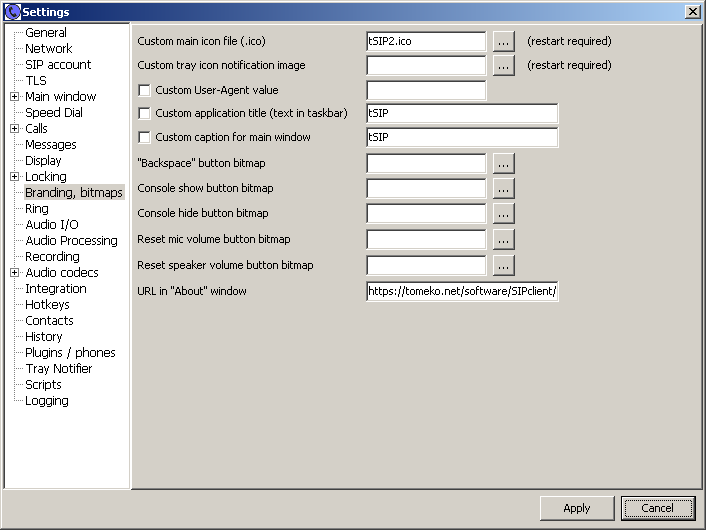
This requires shipping application with JSON settings file. Even if this settings page would be hidden in settings, user can still
edit JSON file manually or delete it.
Obviously you can also change executable name when redistributing.
Editing resources
Some basic branding can be done without compiling, just using resource editor of your choice.
Open exe file with resource editor and find string tables, in particular this one:
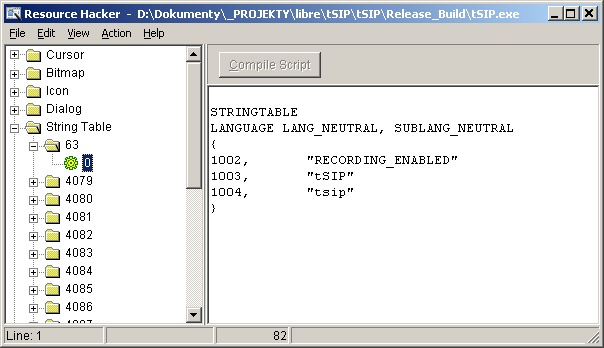
- #1002 - changing or deleting this string allows to hide and disable completely recording function which you may want to do if you have to care about two party recording consent in some states or you want to limit recording to server-side only (probably charging extra)
- #1003 - application name - visible on main window, tray notifier, as SIP User-Agent; it may be also used to distinguish instances as new process is looking for old one with same window caption when starting (to pass parameters from web browser to it or just bring it to front)
- #1004 - default (configurable later in application) protocol name for protocol handler / web browser click-to-call
Some GUI details can be also changed by editing VCL DFM resources visible as RCData. For these purpose use rather resource editor from http://www.angusj.com/resourcehacker/ as one above seems to hang when trying to open "About" window resource (too much text from licenses?). Since DFM resources may change from one version to another - even accidentally as they are automatically generated - it would be good idea to save text from DFM as separate file to be able to merge changes into future version.
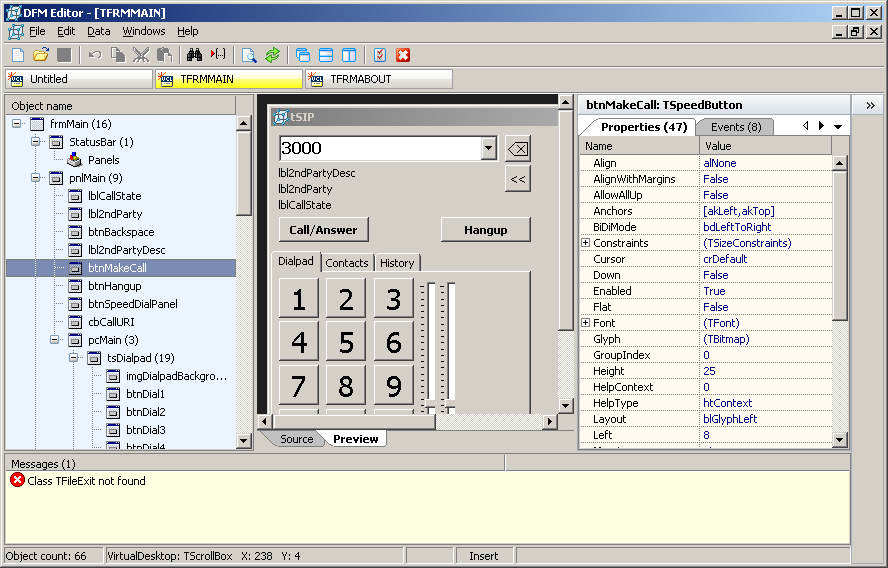
For DFM resource editing small tool, Mitec DFM Editor might be useful. Application DFM files can be extracted
using File/Extract from EXE... function. While it doesn't seem allowing editing resources using property
explorer or by dragging/resizing like with IDE (they have to be edited as text) it allows previewing changes
quickly. Clicking components shown in preview window helps identyfying them by focusing on object list.
Embedding fixed settings
This mechanism was added in version 0.2.7.4, 2022.03.25. It allows to add to executable selected part(s) of configuration that would overwrite default and/or user settings. tSIP already has some settings for branding and locking from end user (e.g. recently added hiding of selected settings pages), but as most of these (except resource-based settings like above) are stored in clearly visible settings - they can be lost if user would manually edit settings or delete and recreate settings. Embedding some of the settings as resource could not be considered secure, but would hide them from prying eyes.
At the moment this mechanism does not apply to button settings, only "main" settings can be overwritten.
Instruction:
- get version of tSIP you want to redistribute
- apply branding and customize; it might make sense to change application URL (this is in string resource) and change application exe name
- find differences between standard configuration file (tSIP.json) and yours (e.g. using Total Commander's "Compare files" function)
- create backup copy of tSIP.json
- using JSONedit open yours custom tSIP.json and delete all that should not be fixed (leaving only part(s) of the configuration that should be fixed), save this as new "patch" file;
example: if you want to permanently hide some settings pages delete everything but root[locking][hiddenSettingsPages]
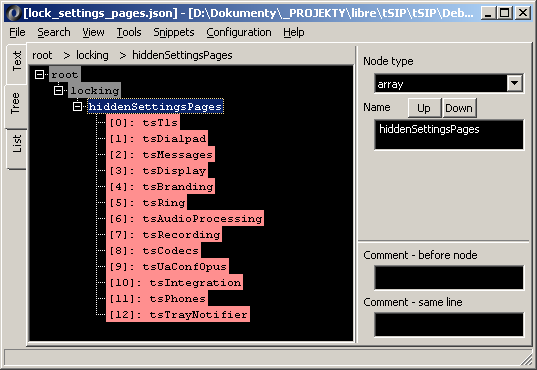
- optionally test "patch" file using plain tSIP copy and Configuration/"Patch / update main settings with JSON" function
- download resource editor like http://www.angusj.com/resourcehacker/
- open softphone executable with resource editor, find RCData/1100
- if using resource editor from link above: rename JSON patch file to .bin
- replace RCData/1100 resource with your patch file
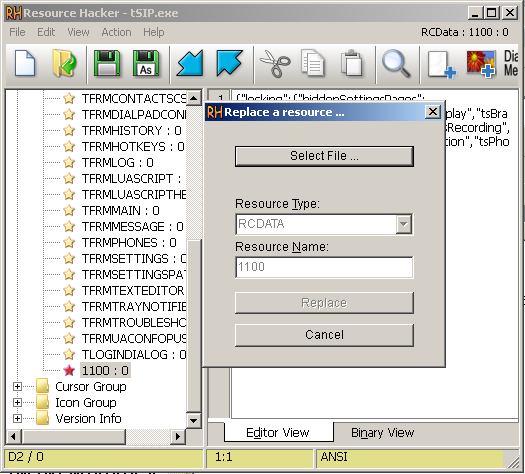
- save and test executable
Copyright info
I can remove my own copyright notice from "About" window, but application must be also compliant with licenses for third party code. As this is a mix of BSD/MIT and similar licenses, distributing license text is the only requirement.
Back to tSIP.